
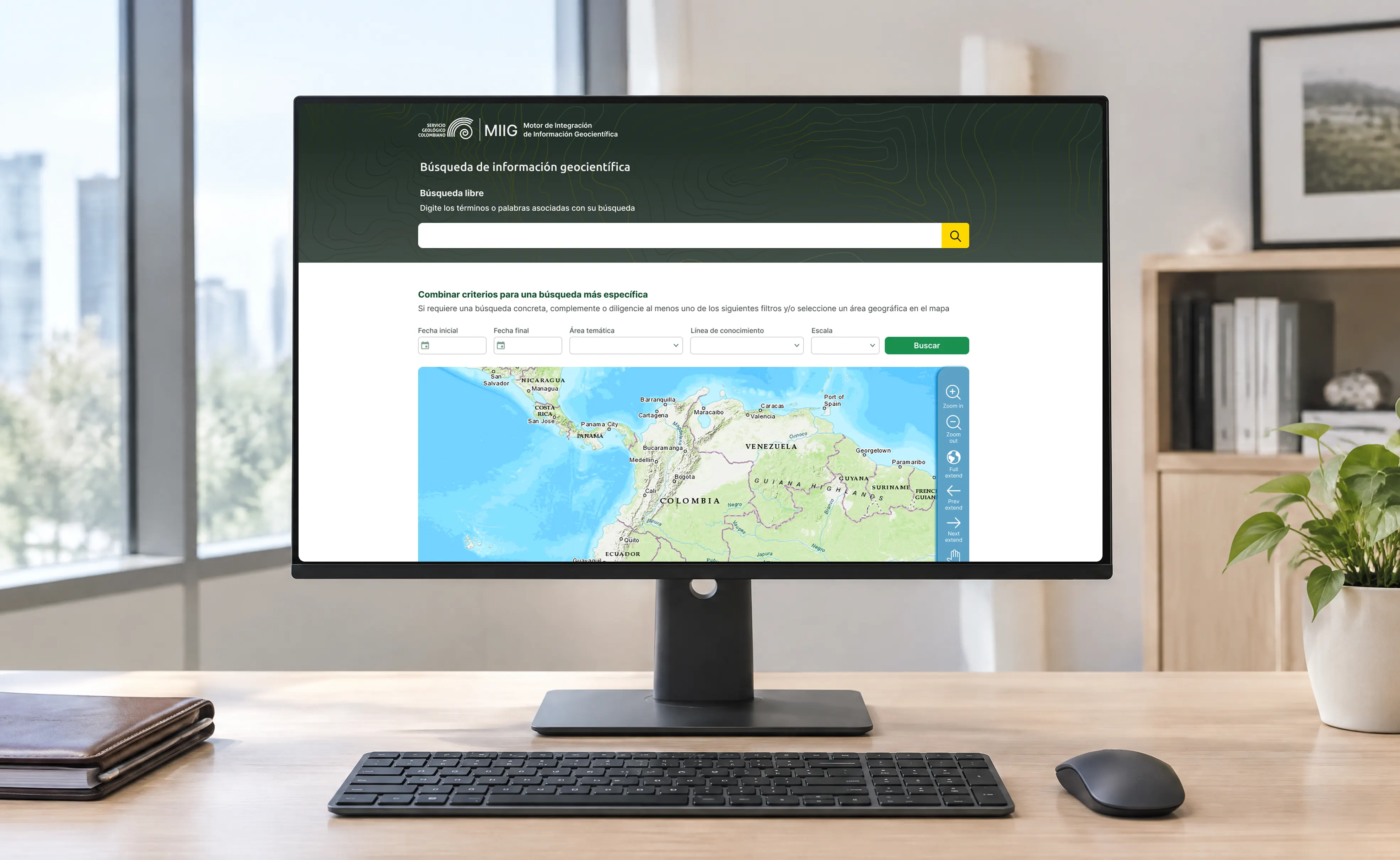
Opening 10.868 scientific studies to the public
Servicio Geológico Colombiano holds 10.868 scientific studies about Colombia’s land and natural resources, but finding them was hard. Many people had to visit the entity’s library in person to consult them. As the leader of the web team, I worked with users, specialists, and the information team to bring these studies online and make them searchable and accessible for everyone.
Project overview
Servicio Geológico Colombiano is the national entity responsible for Colombia’s geological and scientific information. Its studies — 10.868 — were hard to find and use. Many people had to go in person to the entity’s library to consult them, and the search and maps on the portal were difficult for non-expert users.
My role
UI Designer & Webmaster, leading the web team: a junior designer and an engineer. I was responsible for the institutional portal and worked with the information team on the digital platform for the studies.
-
Colombia

Research
We interviewed internal users, the entity’s specialists and staff, and external users who consult the information from outside. These conversations revealed the critical pain points and the main difficulties people faced when searching for a study: many still had to visit the library in person, and the search and maps often failed non-expert users. We shared these findings in working sessions with the team and the information team to co-define the solution.
Design approach
Based on the research findings, I worked on the design of a new tool to search and consult the studies, with support from the team. This tool was part of a broader institutional process coordinated by different technical directorates, in which I participated. We started with wireframes, then validated them through technical discussions with team leaders and the development team, and through collaborative working sessions with the scientific information team. Each round of feedback helped us iterate and refine the design into a solution that worked for both the entity and its users.
Home page design
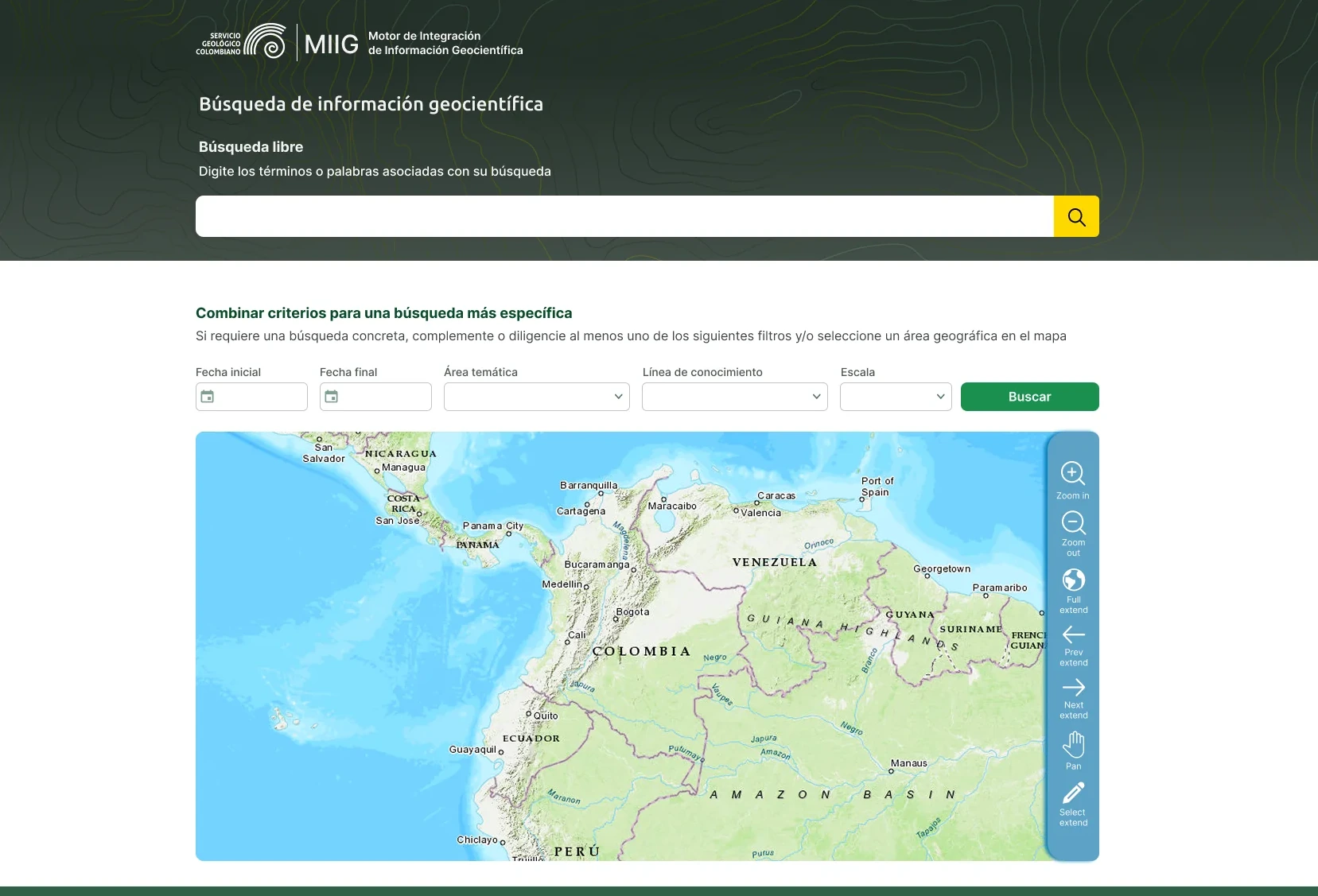
Two entry points serve two levels of expertise: free text search for people who only have a word in mind, combined filters below for researchers who know the thematic area or scale they need. The strongest decision is the map as a search criterion rather than a result — in geoscientific data the question is rarely “what document is called X?” but “what exists in this area?”, so territory works as a filter instead of a visualization that comes after. Microcopy sets the rule before the error, stating upfront that at least one filter is required, and the map tools pair icons with labels so the GIS conventions don’t shut out non-specialists.
Search results
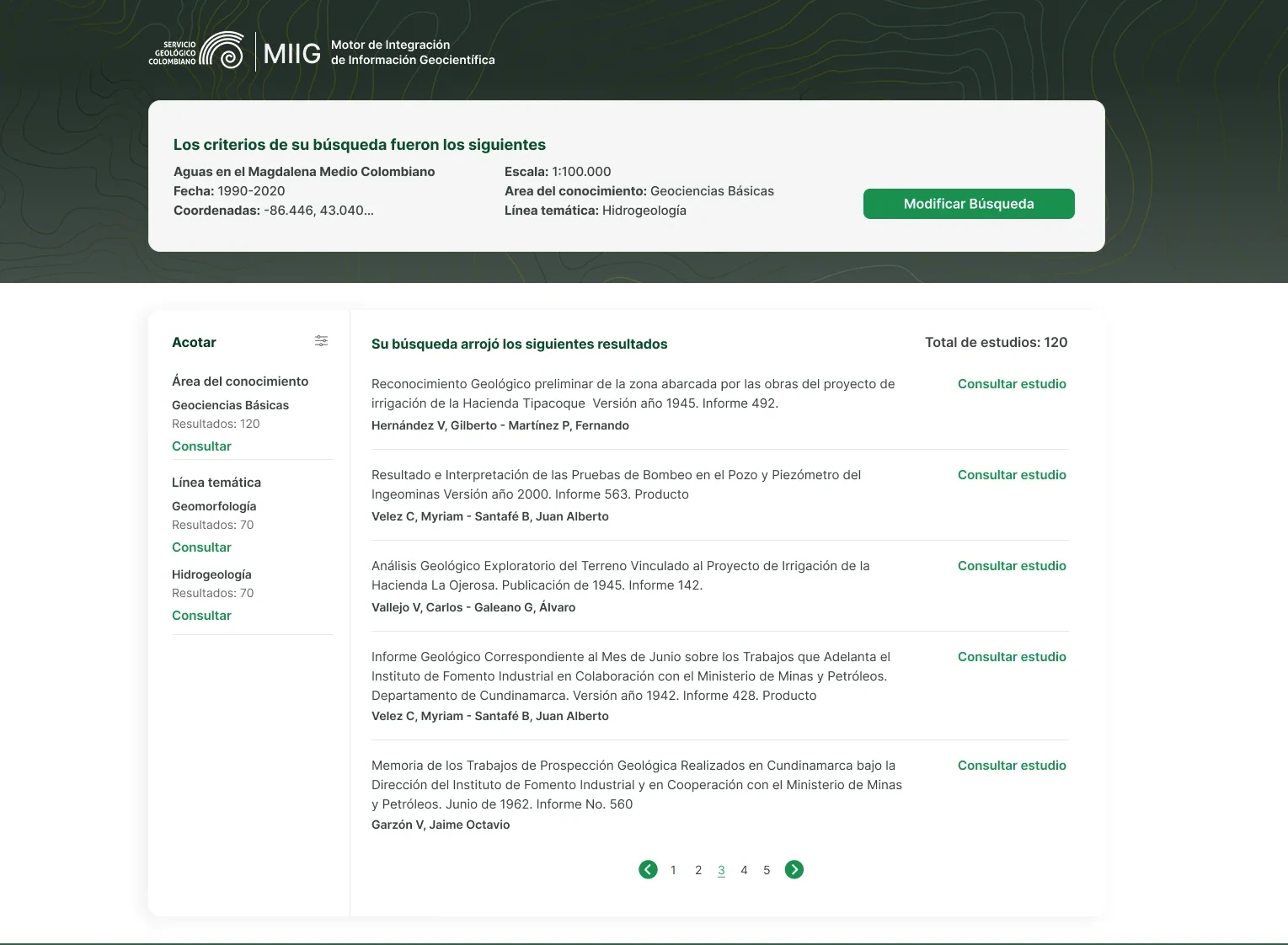
The applied criteria stay visible at the top as a summary card, so after a six-field search nobody has to guess what they actually asked for — and “Modificar Búsqueda” lets them correct one parameter instead of starting over, which matters when a query takes that much setup. The sidebar shows result counts per facet before the click, so refining becomes an informed decision rather than a gamble that lands on zero results. Each result leads with the full title, authors and report number, because in scientific literature those are the cues that decide relevance — not a thumbnail or a preview snippet.
Study detail
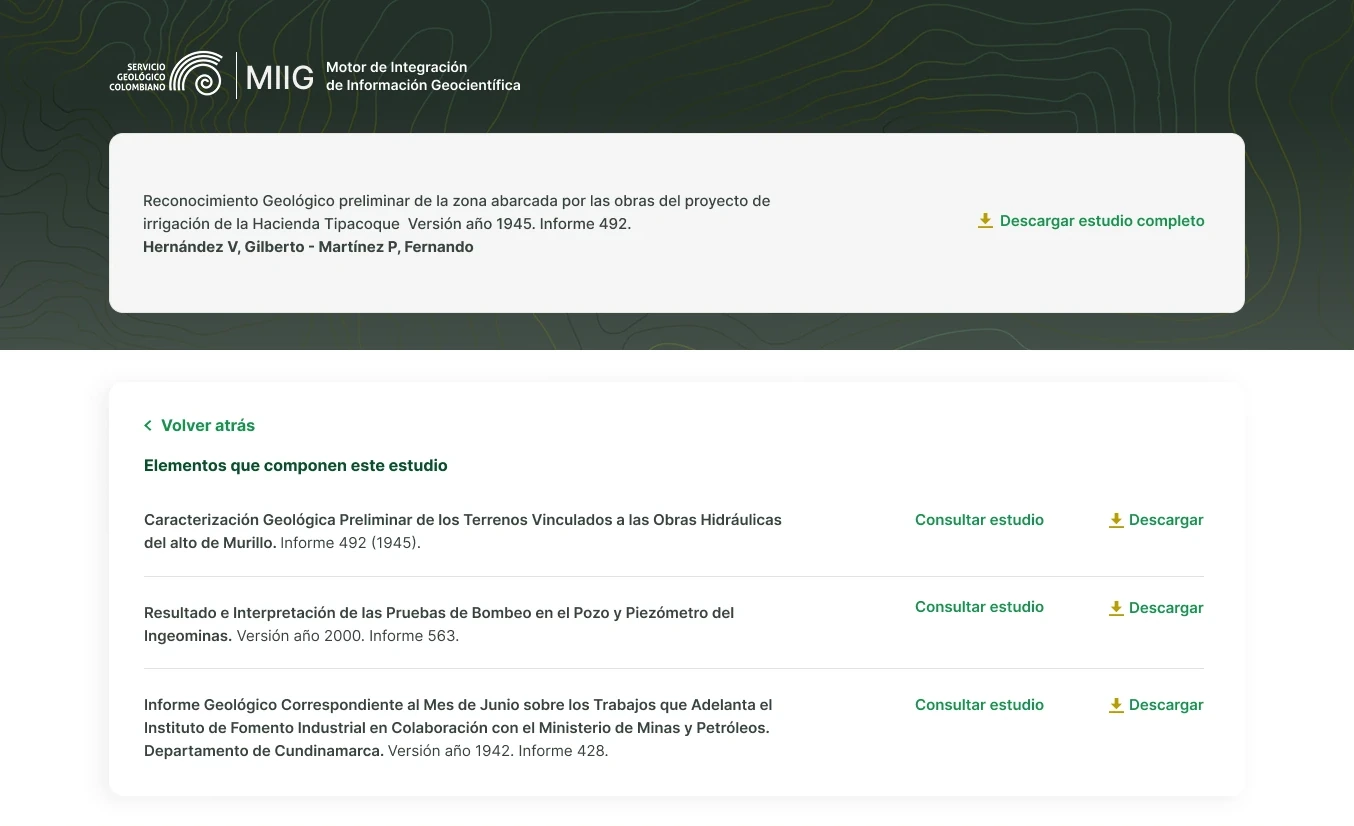
A geoscientific study isn’t one file but a set of related documents, so the page treats it that way: the parent study pinned at the top with its own full download, its components listed below. Each element offers consult or download, because scanning for relevance and compiling sources for fieldwork are different jobs. “Volver atrás” keeps the search intact, so exploring doesn’t cost a query that took six fields to build.
My most important takeaways
Designing for a scientific institution taught me that user-centered work often means translating, not simplifying. The vocabulary of the SGC — thematic areas, knowledge lines, scales — is precise and necessary for researchers, but meaningless to the citizen who also has a right to this information, so the interface had to serve both without diluting either. Accessibility shaped the same decisions: labeling map tools instead of relying on GIS iconography, stating the rules of a search before the error appears, and keeping applied criteria visible so no one has to hold a six-field query in their head. Public information isn’t accessible because it’s published — it’s accessible when someone can actually find what they came for.